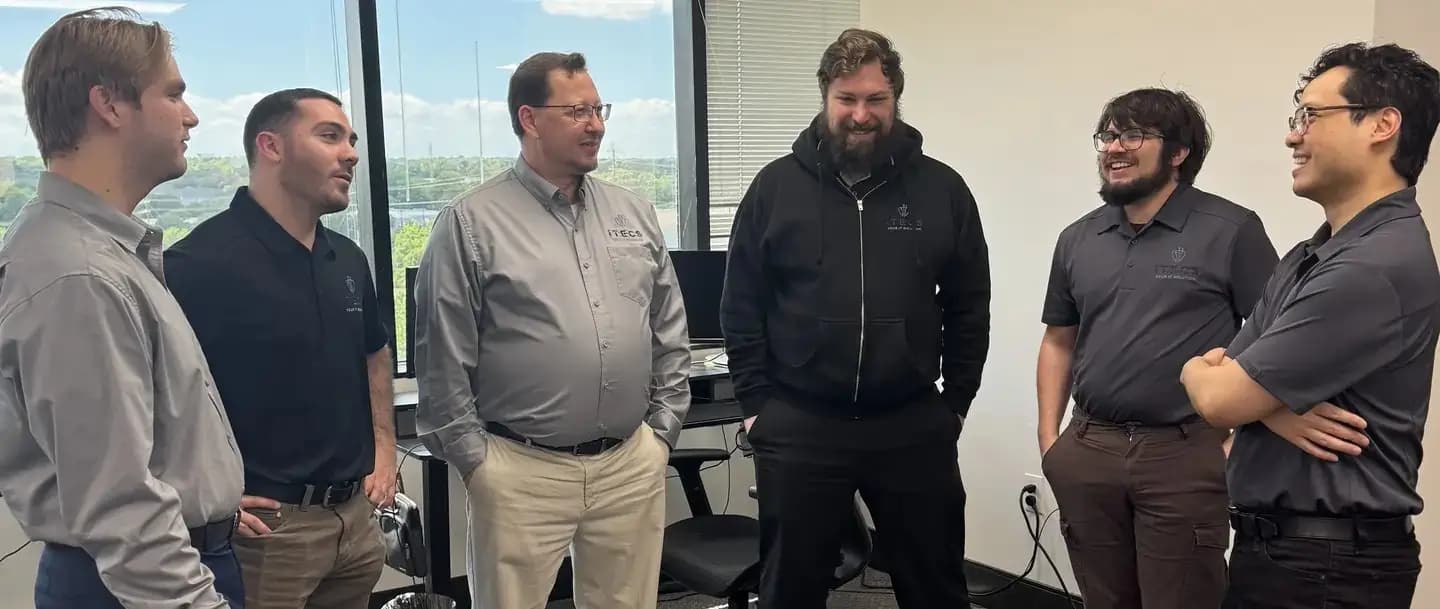
Construction IT Services for Dallas Contractors and Project Teams
ITECS helps Dallas contractors connect the office, job trailer, field device, project platform, and vendor support layers so drawings, schedules, contracts, and communications stay easier to access and easier to protect.
Construction firms
IT support that respects how contractors move between the office, trailer, and field
Construction companies need technology support across offices, jobsites, trailers, mobile crews, project managers, accounting teams, and outside vendors. The right MSP model has to keep drawings, schedules, contracts, photos, email, and project platforms usable without pretending every issue is just a normal office ticket.
ITECS supports Dallas general contractors, specialty trades, and construction-management teams that depend on Microsoft 365, phones, tablets, laptops, job trailer connectivity, project platforms, and shared document sets across multiple active locations.
Our role is to reduce technology drag, improve device and identity control, and keep field operations connected without forcing project managers, superintendents, office staff, or accounting teams to become their own IT coordinators.
Office + field
Coverage model
Support planning accounts for headquarters users, roaming supervisors, temporary trailers, and teams working from active jobsites.
Drawing access
Workflow priority
Cloud access, permissions, backup scope, and version control are shaped around the files that keep active work moving.
Vendor lanes
Escalation discipline
Carrier, software, phone, copier, camera, and security vendors need ownership paths before a project issue becomes a coordination delay.
Construction IT solutions
Start with the IT decision in front of you
This page explains the industry-specific operating model first. When you are ready to move from context to action, use the path that matches the decision your team needs to make next.
Managed IT services
Compare MSP plans, onboarding, SLAs, and executive-level outcomes for construction organizations.
See managed IT plans
Cybersecurity services
Explore endpoint protection, compliance support, email security, and risk assessments tailored to construction requirements.
Compare cybersecurity options
Managed cloud hosting
Private cloud, Azure, hosted applications, and virtual desktops for construction teams that need reliable, managed infrastructure.
Explore cloud hosting
Case studies and white papers
See real-world results from ITECS engagements across regulated and uptime-sensitive industries.
Review case studies
Cybersecurity assessment
Get a structured view of your current controls, risk exposure, and priorities — designed for construction leaders evaluating next steps.
Start the assessment
Where projects lose time
The technology breakdowns construction leaders feel most
Construction IT problems usually show up as lost field time, slow coordination, or document confusion. The costs are operational first: crews wait, drawings lag, vendors point fingers, and project managers lose visibility at the exact moment they need it most.
That is why ITECS focuses on practical resilience. We look at connectivity, identity, file access, mobile-device support, construction software dependencies, and vendor ownership as part of one operating system instead of treating them as isolated tickets.
For construction teams, that coordination is often the difference between a manageable issue and a project slowdown that ripples into schedules, subcontractor communication, pay applications, closeout documentation, or client updates.
Unreliable field connectivity
Job trailers, remote sites, and constantly moving teams need a support model that accounts for carrier handoffs, firewall needs, cellular failover, hotspots, VPN access, Wi-Fi coverage, and device churn.
- Connectivity planning for trailers, temporary offices, and mobile users
- Troubleshooting paths for tablets, phones, hotspots, VPN access, printers, and field laptops
Drawing and document risk
Plans, contracts, change orders, photos, submittals, and closeout files have to stay accessible to the right people without turning file sharing into uncontrolled sprawl.
- Identity controls and file-sharing policies aligned to project teams
- Backup, retention, and version-control practices that protect project records
Too many vendors in the loop
Builders often juggle software platforms, internet carriers, security vendors, copier providers, and site contacts with no single owner keeping work on track.
- One escalation path across cloud apps, phones, connectivity, security systems, and user support
- Documented ownership so project managers do not lose time chasing updates
Field-to-office support model
The construction IT model has to connect office systems, jobsite access, field devices, and vendor-owned platforms
A useful construction IT plan names the work lanes before tickets start moving. ITECS supports the business technology layer around users, devices, Microsoft 365, secure access, backups, connectivity coordination, and vendor escalation so project teams know where support ownership sits.
This model is especially important when project platforms such as Procore, Autodesk Construction Cloud, Bluebeam, Buildertrend, estimating tools, accounting systems, cameras, phones, and access-control vendors all touch the same workflow. ITECS can coordinate around those systems and the infrastructure they depend on, while the software publisher or specialty vendor remains the authority for product-specific defects and configuration decisions.
The goal is not to add bureaucracy. It is to give construction leadership a practical way to see where field uptime, document control, vendor access, device standards, and recovery planning need attention before an active project exposes the gap.
Office and project teams
The headquarters layer that keeps estimating, accounting, project management, and leadership aligned.
- Microsoft 365, Teams, email security, shared files, identity, MFA, and user onboarding
- Access standards for executives, PMs, coordinators, accounting staff, and remote users
- Backup and recovery assumptions for bids, contracts, schedules, pay applications, and project records
Jobsite and trailer connectivity
The temporary-site layer that needs planning because every jobsite has different internet, carrier, and physical constraints.
- Carrier coordination, firewall needs, VPN paths, cellular backup, hotspots, Wi-Fi, and temporary office setup
- Support ownership for printers, scanners, phones, cameras, access-control dependencies, and site equipment handoffs
- Documentation that explains who owns the next step when a trailer, site, or mobile team loses access
Field devices and drawing access
The device and document layer where delays quickly turn into schedule, rework, or communication problems.
- Laptop, tablet, phone, hotspot, and shared-device standards for supervisors and field staff
- Secure access to drawings, RFIs, photos, submittals, change orders, closeout files, and project folders
- Version-control and permission routines that reduce stale files, over-sharing, and recovery confusion
Software and vendor handoffs
The coordination layer that keeps platform, carrier, and specialty-vendor issues from bouncing between teams.
- Support paths for Procore, Autodesk Construction Cloud, Bluebeam, Buildertrend, estimating, and accounting dependencies
- Documented vendor contacts, admin ownership, escalation criteria, and access requirements
- Clear separation between ITECS-managed infrastructure and vendor-owned application behavior
This model is a support and coordination boundary. It does not claim that ITECS replaces the software publisher, carrier, safety vendor, access-control vendor, or construction-platform specialist.
Security and operational control
Construction IT governance should protect speed, not fight it
Construction teams need security that supports fast decision-making, mobile work, and document sharing without opening the door to email compromise, stolen devices, or uncontrolled vendor access. The goal is usable security paired with tighter operational discipline.
ITECS helps firms harden Microsoft 365, mobile devices, remote access, and document collaboration so foremen, PMs, executives, and accounting staff can move quickly without accepting unnecessary risk.
We also help leadership understand how cyber-insurance requirements, jobsite technology sprawl, and vendor complexity change the baseline for what “good enough” IT really looks like in construction.
- MFA, device management, and role-based access for field and office users
- Recovery planning for drawing sets, contracts, schedules, and accounting data
- Vendor and subcontractor access reviews that reduce exposure without slowing projects
Construction platform priorities
Project platform coordination around Procore, Autodesk Construction Cloud, Bluebeam, and Buildertrend dependencies
Bluebeam, SharePoint, and Teams file workflows for drawings and submittals
Phones, tablets, laptops, hotspots, and trailer connectivity for supervisors and roaming crews
Cyber-insurance readiness and device-security evidence for leadership
Recommended service stack
The IT building blocks contractors usually need first
Construction leaders usually start by improving responsiveness, securing collaboration, and reducing the chaos that comes from multi-vendor jobsite support. We pair those goals with a service stack that supports field operations without losing office governance.
These pages show how our managed IT, support, cybersecurity, and continuity services map directly to common construction pain points.
Managed IT with project accountability
This page explains how ITECS structures an MSP relationship for companies that want one accountable team across support, cybersecurity, and vendor coordination.
- Useful when field and office operations are outgrowing reactive support
- Helps leadership compare cost against operational disruption
Fast IT support for office and field users
See how we handle user issues, endpoint problems, escalation paths, and onsite coordination for teams that need clearer follow-through during active work.
- Strong fit for hybrid, roaming, and multi-site workforces
- Improves ticket ownership across devices and vendors
Cybersecurity consulting and governance
Construction firms increasingly need better visibility into identity controls, phishing exposure, recovery planning, and executive reporting for cyber risk.
- Advisory support for policy, tooling, and remediation priorities
- Useful when insurers and clients ask harder security questions
Backup and disaster recovery for project data
Continuity planning keeps drawings, change orders, and core systems recoverable when ransomware, accidental deletion, or outages hit active work.
- Protects critical documents and schedules across teams
- Reduces the operational blast radius of an outage
Why ITECS
A support model designed for fast-moving builders and project teams
Construction companies need an MSP that can support both the office and the field while keeping vendor coordination simple. ITECS brings that structured support model to firms that are tired of losing project time to technology confusion.
We focus on communication, escalation ownership, and practical security controls so superintendents, project managers, and executives can keep work moving without wondering who owns the next step.
Field-to-office coordination
ITECS supports the reality that project staff, accounting, and leadership often work in different places and need technology decisions translated across those roles.
- Better continuity between office systems and field devices
- Less wasted time reconciling disconnected support updates
Vendor control instead of vendor chaos
We coordinate carriers, phones, cloud apps, line-of-business platforms, and device procurement so project teams are not stuck in the middle.
- Simplifies issue ownership during active projects
- Keeps leadership informed when outside vendors are involved
Proof-oriented delivery
Our case-study library helps you evaluate how ITECS communicates outcomes, project sequencing, and accountability—not just polished marketing language.
- Useful for construction leaders comparing MSP maturity
- Shows the level of transparency we aim to bring to client work
How engagement works
How we stabilize construction technology without disrupting active jobs
The first step is understanding how the office, field, and project platforms connect today. From there, we harden core systems, clean up access, and document the support model so the next urgent issue does not require a guess about ownership.
That process keeps disruption low while making the environment easier to support as projects, teams, and locations change.
Phase 1
Construction workflow discovery
We review project workflows, field connectivity, trailer setups, device sprawl, software dependencies, and line-of-business tools so support matches the way teams actually operate.
Phase 2
Security and continuity hardening
We improve identity controls, email security, backups, device baselines, and access routines to reduce the risks most likely to derail active work.
Phase 3
Vendor and platform alignment
We align carriers, project apps, document workflows, device vendors, and support paths so issues do not stall when they cross organizational boundaries.
Phase 4
Leadership cadence and optimization
We establish regular reviews focused on recurring blockers, vendor friction, budget priorities, and the technology changes most likely to affect execution.
Related resources
Explore the support and security services behind this construction page
Use these linked pages to see how ITECS handles the support, governance, and continuity layers that construction teams usually need once reactive IT starts slowing projects down.
They also show where our model differs from generic help desks that do not document vendor dependencies or field-work realities.
Dallas managed IT services
Review the core managed IT model we adapt for construction firms teams that need stronger accountability and executive visibility.
Cybersecurity services
Compare the security, compliance, and assessment paths that support construction firms teams with tighter controls and clearer risk reporting.
Managed cloud services
Explore hosted infrastructure, Azure, private cloud, and continuity options that keep construction firms operations resilient.
Cybersecurity assessment
Use the assessment path when construction firms leadership needs a faster read on current risk, control gaps, and next-step priorities.
Case studies and white papers
Review examples and supporting material that show how ITECS approaches project communication, governance, and operational clarity.
Construction IT services FAQ
Questions Dallas contractors ask when comparing MSPs for field-heavy, deadline-driven operations.
Yes. We design support and connectivity around the full construction workflow, including office teams, project managers, roaming supervisors, tablets, phones, and job trailers that need dependable access to files and communications.
We improve identity controls, sharing permissions, email security, backups, and device standards so project files are easier to access securely and easier to recover if something goes wrong.
Yes. ITECS can coordinate support and vendor escalation around construction platforms, document workflows, Microsoft 365, devices, identity, connectivity, and the surrounding infrastructure those tools depend on.
Yes. ITECS can help document and support the connectivity, firewall, VPN, hotspot, Wi-Fi, printer, laptop, tablet, and phone dependencies that field teams rely on when jobsites or temporary offices need dependable access.
We focus on documented escalation ownership so the issue moves quickly to the right team, whether that means internal troubleshooting, carrier coordination, construction-platform vendor escalation, or device support.
Next step
Need construction IT support that works in the field and the office?
ITECS can review your office, jobsite, field-device, vendor, and project-platform dependencies so you can reduce technology drag before it impacts active work.